Login process
The purpose of this guide is to explain how to log in to the Evelyn Partners client portal.
The initial login page
Please refer to the Client Login page on our website for the web address / URL – it might be helpful to bookmark the Client Login page for future reference.
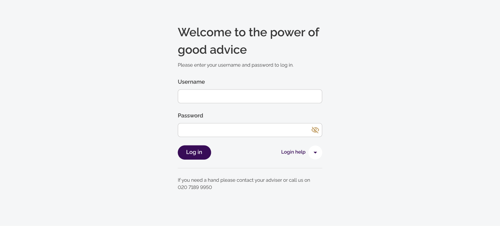
To begin, enter your username and password and click the Log in button.
Using two-step verification to log in
The client portal now uses additional security to ensure your personal details and information are protected. This is known as two-step verification and involves a unique verification code being sent to your email address each time you log in.
Steps to follow:
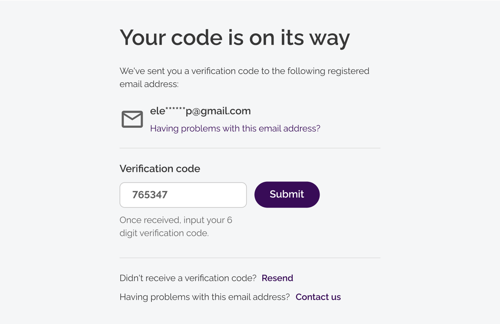
Ask for a verification code - this will be sent to your registered email address
When you receive the code, enter it. Please note: the verification code is valid for 5 minutes. If you can't enter it within this timeframe, click Resend to get another code
You will now log in to the client portal
Note: This method replaces the six-digit PIN code used in the previous version of the portal. |
Logging out of the Client Portal
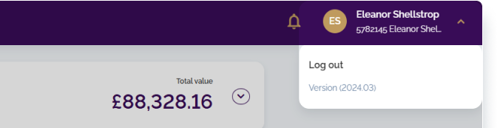
When you have finished using the client portal, it is important to end your session properly by using the logout option. Please do the following:
Click on the drop-down arrow next to your name in the top right corner of the screen
Click Log out
You will now be disconnected from the client portal